
Voltaic Cell
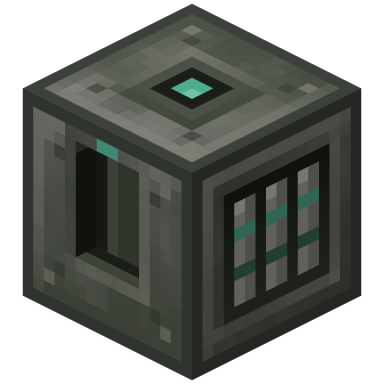
Stores FE, charges items, and with a Tesla module powers every machine around it without cables.
- Capacity
- 1,250,000 FE
- Transfer
- 1,000 FE/t
- Slots
- Charging, kit, Lumen, Tesla
- Upgrades
- Kits, Lumen, Tesla
- ID
enthalpy:voltaic_cell
What it does#
The Voltaic Cell stores FE. Engines fill it, machines drain it, and it smooths the gap between them: a base cell holds 1,250,000 FE and moves up to 1,000 FE/t in and the same out. It keeps its charge when you break it and pick it up.
It does three more jobs. Its slot charges any item that takes FE. A
 Tesla Module makes it power machines around it wirelessly. And
 Lumen Modules make it light crops nearby, as on the Aquifer.
Building it#
 Crafting Table


Using it#
Put a chargeable item in the slot, or fit modules on the Upgrades tab. Click the tabs and the
coloured faces below; they behave like the real screen. This one is a base cell with a
 Haddock Howitzer charging, and both modules fitted.
 2
2- Stores FE; keeps its charge when broken
- Takes FE in through input faces
- Auto-output pushes FE out of output faces
- Tier kits raise capacity and transfer
- Tesla module: powers machines in an area up to 9×9×9
- Shares power evenly between every machine
- Size, move and preview the area on the Config tab
- Lumen modules light crops, as on the Aquifer
- Its slot charges any item that takes FE, before pushing to faces; hoppers can add items and take them out once full
- 1How full the cell is.
- 2Running while FE is moving in or out. Idle when nothing is; Disabled when redstone has switched it off.
- 3The charging slot. Anything that takes FE charges here, from the same transfer limit as the faces. The bolt lights while it charges.
- 4What is stored, and how much FE per tick came in and went out last tick. Charging an item and powering neighbours both count as Out.
- 5The Tesla module slot. Fitting one adds the wireless rows to the Config tab.
- 6Lumen modules stack here. Each one widens the grow-light area and the growth bonus.
- 7With a Lumen module, a Grow lights switch. With a Tesla module, Show area, Area and Offset. The faces' auto-output switch and redstone control are here too.
- 8Which faces take FE and which push it. Click a face to change it; right-click to go back.
Wireless power#
Fit a Tesla module and the cell powers every machine in an area around it, with no cable or pipe between them. Only one module fits, and only the Voltaic Cell takes it.
- Area sets how wide, tall and deep the zone is, one stepper for each of the three directions. It starts at the largest, 9 by 9 by 9 blocks, centred on the cell. Each click shrinks it or grows it in whole steps on both sides.
- Offset moves the centre away from the cell, up to 4 blocks in each direction. Use it to put the cell in a corner and cover the room.
- Show area draws the zone as an outline in the world, so you can see what it reaches. Turn it off when you are done.
The cell finds receivers inside the zone about once a second, so a machine you place may take a moment to start charging. Anything that accepts FE counts, but other Voltaic Cells are skipped so power never bounces between them.
Wireless output shares the cell's transfer limit with the faces and the charging slot, which go first. Whatever is left is split evenly across the area; a machine that is already full gives its share to the others. A single cell has a modest limit, so for a large area fit a higher tier kit, or use more than one cell with their areas apart.
Automation#
Out of the box it pushes FE out of its front, and takes it in everywhere else:
Front Output (pushes FE); Every other face Input (takes FE). Auto-input off, Auto-output on.
Chargeable items can go into the slot by hopper or pipe from any side, and come out only once they are full. Side configuration explains faces, modes and redstone control for every machine.
Upgrades#
A tier kit raises both capacity and transfer. The cell has its own table, separate from the machine multipliers:
| Tier | Kit | Capacity | Transfer, in and out |
|---|---|---|---|
| Base | None | 1,250,000 FE | 1,000 FE/t |
| Tempered |  Tempered Upgrade Kit Tempered Upgrade Kit | 2,500,000 FE | 2,000 FE/t |
| Fortified |  Fortified Upgrade Kit Fortified Upgrade Kit | 3,750,000 FE | 3,000 FE/t |
| Luminous |  Luminous Upgrade Kit Luminous Upgrade Kit | 5,000,000 FE | 4,000 FE/t |
| Harmonic |  Harmonic Upgrade Kit Harmonic Upgrade Kit | 7,500,000 FE | 6,000 FE/t |
Unlike most machines, the cell has typed slots rather than a shared pool: one stack of
Lumen Modules (up to 4) and one Tesla Module. The battery on the front takes the colour of its tier.
Good to know#
- The cell is silent, so it has no Sounds switch and no Auto-input; it only accepts FE, not items, through its faces.
- The charging slot only accepts items that take FE, and charges before the faces are served, so a hungry item can slow the cell's output.
- The front meter fills in steps as the cell charges, so you can read it from across a room.
- Grow lights follow the Lumen modules: with none fitted the switch is hidden, and the Upgrades tab shows the lit area and growth bonus.
For pack makers: the settings behind these numbers
| Setting | Default | Range | What it does |
|---|---|---|---|
voltaicCell.capacity | 1,250,000 / 2,500,000 / 3,750,000 / 5,000,000 / 7,500,000 | Voltaic Cell energy capacity per tier, in FE: base, tempered, fortified, luminous, harmonic | |
voltaicCell.transfer | 1,000 / 2,000 / 3,000 / 4,000 / 6,000 | Voltaic Cell input and output limit per tier, in FE/t: base, tempered, fortified, luminous, harmonic. The Tesla module's wireless output shares the output limit | |
upgrades.rateMultipliers | 1 / 2 / 3 / 4 / 6 | Energy rate (and therefore speed) multiplier per tier: base, tempered, fortified, luminous, harmonic | |
aquifer.lumenGrowthBonus | 0.5 | 0 to 16 | Extra plant growth speed per Lumen module while grow lights are on (0.5 = +50%) |
The wireless output uses the transfer limit; it has no setting of its own.
Related#
- Caloric Engine: fills the cell
- Aquifer: Lumen modules work the same way
- Side configuration
- Upgrades and modules